Blynk.NCP: Add Cloud Connectivity to Any Microcontroller
Keep your existing MCU doing what it does best. Let Blynk.NCP handle the connectivity, provisioning, and cloud on a separate ESP32.
Published
April 14, 2026
Author
Henrik Holen
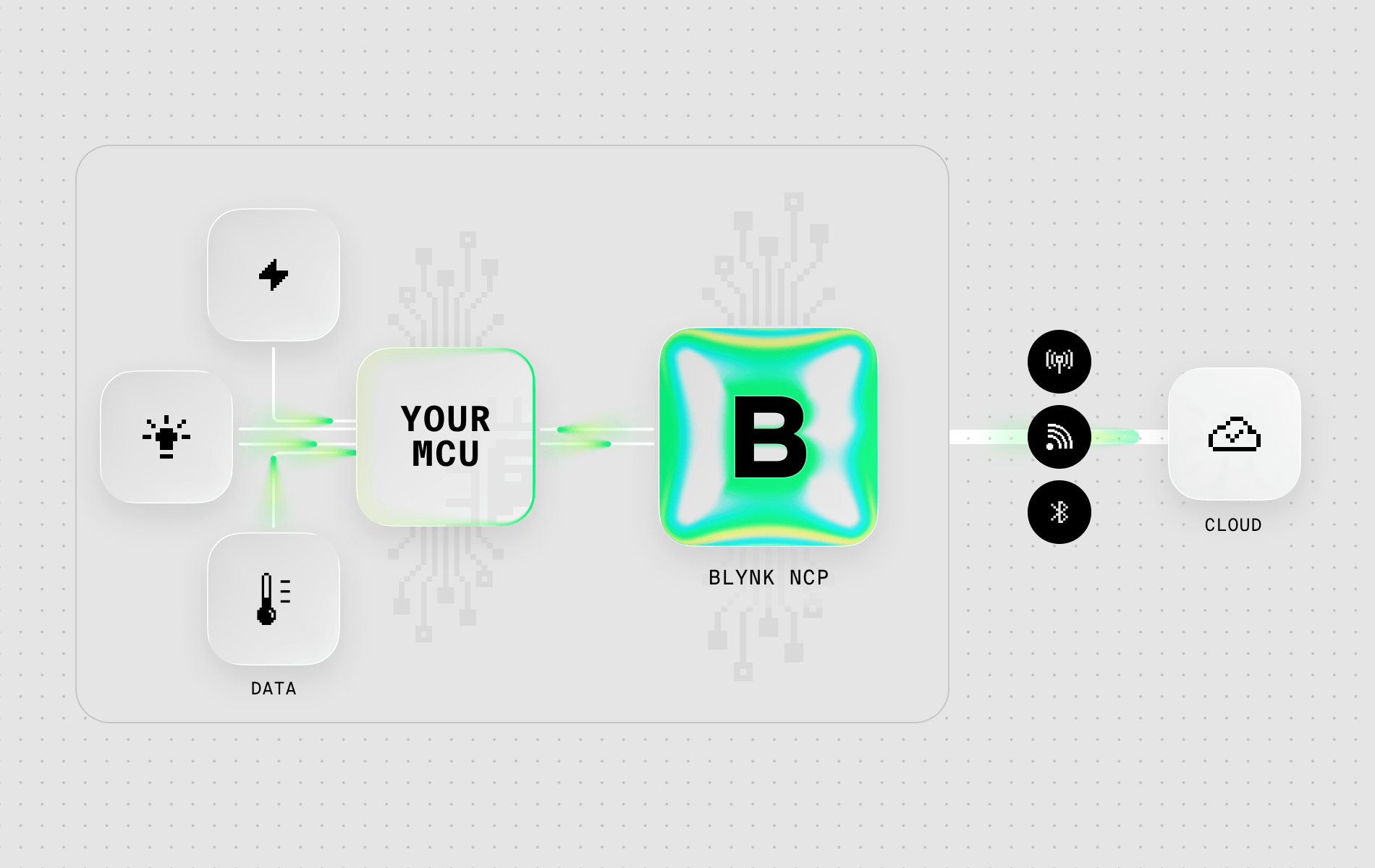
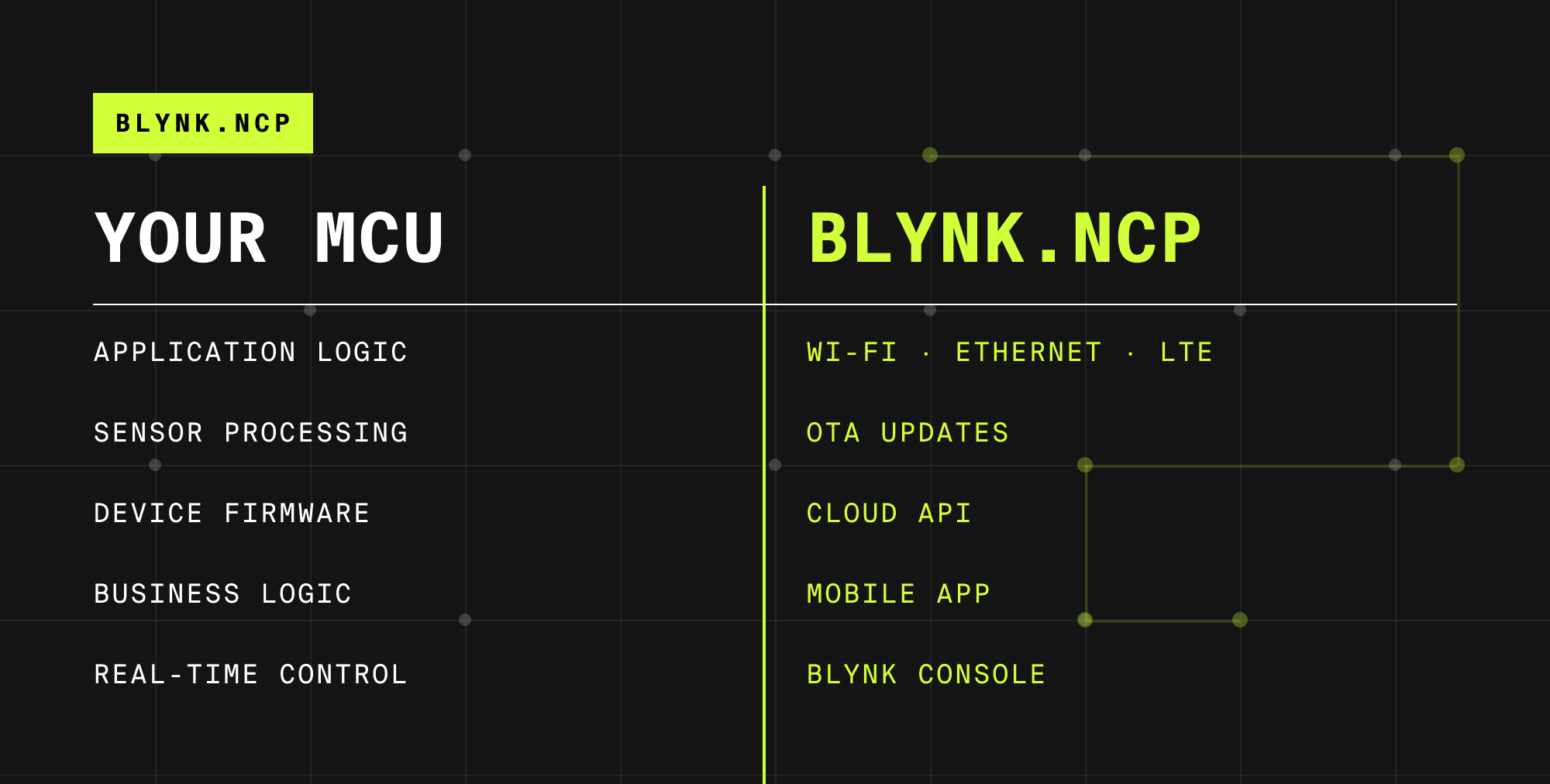
Your existing MCU handles application logic. A dedicated ESP32 handles WiFi, BLE, OTA, and cloud. Connected over UART.
Some IoT products start with an ESP32 running everything: sensors, business logic, and connectivity. Blynk.Edgent works well for those. But many connected products don't start with an ESP32 at all. They start with an STM32 controlling a motor, an Arduino managing sensors, or a custom board running an RTOS. The MCU was chosen for the application, not for WiFi.
Adding connectivity to that existing design usually means one of two approaches. Rewrite the firmware to run on an ESP32 — losing the work done on the original MCU, and often not even possible, since ESP32 lacks specialized hardware that specific MCUs are chosen for (motor-control timers, CAN bus, safety certifications, hard real-time determinism). Or build a custom WiFi/cloud integration from scratch — months of development for something that isn't your product's core value.
Blynk.NCP is the third option. Plug in an ESP32 as a dedicated network chip. It handles WiFi, BLE-based provisioning, cloud connectivity, and OTA updates. Your host MCU keeps doing what it was built for and talks to the NCP over a UART connection.
How the Dual-MCU Architecture Works
The host MCU sends sensor values and receives commands through a simple serial protocol over UART. The NCP handles everything network-related: connecting to WiFi, maintaining the MQTT session with Blynk cloud, managing BLE for device provisioning, and coordinating OTA firmware updates.
This separation is the key advantage. Your application firmware doesn't include any networking code. It doesn't manage WiFi credentials, handle reconnection logic, implement MQTT, or deal with TLS certificates. All of that lives on the NCP, maintained and updated by Blynk.
What NCP Gives You
Here's what NCP includes:
BLE-assisted provisioning. End users set up WiFi from the Blynk mobile app over BLE. No hardcoded credentials, no captive portals. This is the same Blynk.Inject flow used by ESP-IDF Edgent, but available to any host MCU that has an ESP32 NCP attached.
16 saved WiFi networks with automatic failover. The device stores multiple WiFi credentials and switches between them automatically. If the primary network goes down, it connects to the next available one. For devices deployed in environments with multiple access points or backup networks, this happens without any intervention from your firmware.
OTA firmware updates for both MCUs. Push new firmware from the Blynk console. The NCP updates itself without needing the host MCU involved. For host MCU updates, the NCP delivers the binary over UART, and your host firmware handles the actual self-update. Target individual devices or entire fleets. No physical access required.
Ethernet support. For deployments where WiFi isn't reliable enough, NCP supports wired Ethernet alongside WiFi.
Factory testing and provisioning. Built-in support for factory testing and device provisioning during manufacturing.
When NCP Makes Sense
You have an existing product with a non-ESP32 MCU. The host MCU is an STM32, a Nordic nRF, a PIC, a Renesas, or any other microcontroller. You've already written and tested the application firmware. You want to add cloud connectivity without changing the core design. NCP lets you add an ESP32 module to the PCB and connect it over UART. Aquascape, a water garden and pond equipment manufacturer, has been shipping products with this architecture for over three years.
Your MCU has no wireless at all. Many industrial MCUs ship without WiFi or BLE. NCP gives any MCU with a spare UART a complete connectivity stack: WiFi, BLE-based provisioning from the Blynk app (or WiFi AP fallback if BLE isn't available on the chosen NCP module), and cloud transport. Your application firmware never has to know about any of it.
You're building a product where connectivity should be a module, not baked in. Some designs benefit from separating the application processor from the network processor. If the connectivity layer needs to change (different WiFi chip, different cloud provider), only the NCP module changes. Your application firmware stays the same.
Supported Hardware
Module
WiFi
BLE Provisioning
Ethernet
Notes
ESP32 (and S3, C3 variants)
Yes
Yes
Yes
Most common NCP. Examples: ESP-WROOM-32, ESP32-MINI-1, U-blox NINA-W106, Adafruit AirLift.
ESP8266
Yes
No
No
Budget option. App-based provisioning still works — just over WiFi AP instead of BLE. Examples: ESP-01, ESP-12F, Witty Cloud.
Budget option. App-based provisioning still works — just over WiFi AP instead of BLE. Examples: ESP-01, ESP-12F, Witty Cloud.
Any ESP32 with WiFi and BLE support can serve as an NCP — the modules listed above are common examples, not the only options. For custom hardware (different serial pinout, different module variant), ask Blynk support about tailored firmware.
Pre-configured NCP boards
Several dual-MCU boards ship with the NCP architecture already in place — a host MCU and a connectivity chip on the same board. Examples include Arduino UNO R4 WiFi, Portenta C33, Nano RP2040 Connect, Nano 33 IoT, MKR WiFi 1010, and LILYGO T-PicoC3. The Raspberry Pi Pico has no built-in connectivity, but the Pico paired with an external ESP8266 module is a supported combination. The full list of supported boards and their current status is maintained at github.com/Blynk-Technologies/Blynk-NCP-Example-Arduino.
How It Connects to Blynk
From the platform's perspective, an NCP device looks identical to any other Blynk device. The same dashboards, mobile apps, automations, and fleet management tools work regardless of whether the device runs Edgent natively on an ESP32 or uses an NCP architecture.
The NCP handles all cloud communication: Blynk session management, TLS encryption, authentication, and reconnection. Your host MCU code stays focused on reading sensors and controlling actuators.
Getting Started
1. Pick your NCP module. For new designs, ESP32-WROOM or ESP32-MINI modules are the standard choice.
2. Flash the NCP firmware. Blynk provides pre-built NCP firmware for supported modules. Flash it once during manufacturing.
3. Wire the UART connection. TX, RX, and a reset pin between your host MCU and the NCP module.
4. Add the Blynk NCP driver to your host MCU firmware. The library provides an API for sending data and receiving commands. Examples available for Arduino and Zephyr, with more platforms supported.
5. Configure the template in Blynk console. Create datastreams, build a dashboard, set up the mobile app. This part is the same as any other Blynk device.






.png)


