Blynk HTML Widget: Build Any Dashboard with HTML, CSS, and JavaScript
Build custom Blynk dashboards tailored to your exact project needs. Combine device data into single views using full design control and AI coding tools.
Published
September 10, 2026
Author
Henrik Holen
Sooner or later a product needs a widget the gallery doesn't have, even though the standard gallery covers a lot. Maybe it's a gauge that matches your brand guidelines, or a panel that combines four datastreams into the one view your operators actually read.
We created the HTML Widget for exactly this. It's a web dashboard widget that renders your own HTML, CSS, and JavaScript in a sandboxed frame, connected to your datastreams. Anything a browser can render should work on a Blynk dashboard. A mobile version is coming soon—stay tuned!
How the widget works
The frame injects a JavaScript object called BlynkBridge, and through it your code can read datastream values, write values back to the device, receive real-time updates as the server pushes new data, fetch historical data as raw points or aggregated buckets, pick up the dashboard's current theme colors, and query device metadata like name and status. All of that without any server-side code, in up to 100,000 characters of HTML per widget.
You bind datastreams in the widget settings, and the binding order gives each one an index your code refers to. The editor has a code tab with a live preview, a light/dark toggle, and a console for debugging, plus a testing tab that runs the widget against a real device you own before it goes anywhere near a production dashboard. If you'd rather not start from a blank page, there's a preset gallery of display and control widgets built by Blynk, and picking one clones it into your Assets so you can modify it freely.
We drew a farm bed instead of building a gauge
To see where the edges are, we took a farm-sensor template with six datastreams, soil moisture, temperature, light level, a sunlight enum, a status flag, and an irrigation valve. The first attempt was a gauge with some value tiles, and it worked, but it only recreated things the standard gallery already covers. So we asked for something the gallery doesn't have: a drawing of the bed itself. The AI read the template through the Blynk MCP server first, so it knew the datastreams and their types before writing a line. The prompt was roughly this:
"Draw my farm bed as a live schematic: the water line and valve, the soil colored by the real moisture reading, and a plain-language recommendation that uses moisture, temperature, and light together. Animate the irrigation flow when the valve opens."
What came back draws the physical system: a water tank, the supply pipe, a tappable valve, and the bed itself, with the soil color computed from the live moisture value, sandy brown when the bed is dry, dark green loam when it isn't.
Above the drawing sits a recommendation line that reads three datastreams together, so instead of three numbers it says "Drying conditions (36%, bright and warm), plan to water this evening." Tapping the valve in the drawing sends the command to the device, water animates through the pipe while the real valve datastream flips, and as moisture recovers the bed turns green again. You can't get that round trip by embedding a page in an iframe, and a single-datastream widget can't combine readings into one recommendation.
The theme handling worked without extra effort too. The generated code called getTheme() and mapped the returned colors onto CSS variables, so the widget follows the dashboard between light and dark mode.
Works really well with your AI chatbot
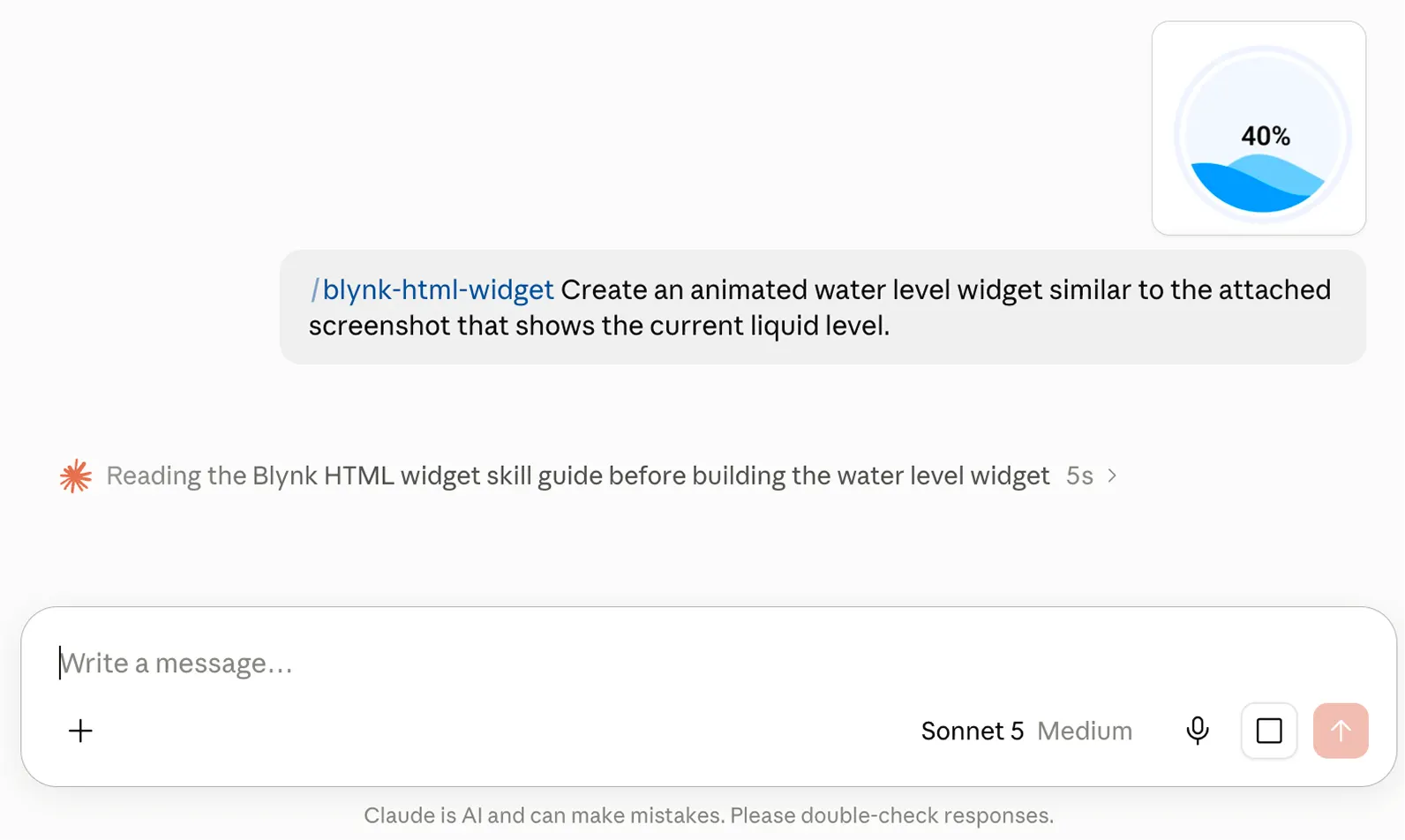
That workflow is supported directly. Blynk publishes blynk-anywidget, an Agent Skill that teaches AI coding tools how to build HTML widgets: it includes the full BlynkBridge API reference, the platform constraints, and Blynk's visual style.
You add the skill to your AI tool, describe the widget in plain language, and paste the result into the editor. A screenshot reference helps if you have something specific in mind. The skill joins the AI-assisted development already in the platform: the Platform Assistant in the console, and the Blynk MCP server the farm-bed demo used to read the template.
Two notes on that path. Review generated code before it reaches a production dashboard, because a widget can send values to your device. And the testing tab uses a real device with real messages, which count toward your plan's message limit. Either way, whether the HTML comes from your team or from an AI tool, you connect it to live device data in the widget settings, with no backend work.
Where it fits
Two uses are the natural fits. Branded control surfaces, where the widget matches a company's design system instead of the platform's, which is the same reason manufacturers like Raypak and Windmill run their products on Blynk under their own brand.
And combined panels, where readings that used to spread across four widgets combine into one purpose-built view. Since the bridge exposes historical data as well, custom charts over any window your plan's data retention covers are on the table too. The device on the other side can be anything the platform talks to, from an ESP32 in a field enclosure to a sensor on satellite connectivity through Iridium or Myriota to industrial equipment on a gateway.
The widget runs inside the same platform as everything else, so the production features apply to it too. Dashboards follow role-based access control, so you choose which user roles can see the dashboards your custom widgets live on.
The devices behind it take firmware updates over the air through Blynk.Air, and Data Converters can map an existing device's payload onto datastreams without firmware changes, so a widget can show data from hardware you never reflashed.
For the firmware side there's an ESP-IDF SDK for production ESP32 builds, and the cloud itself is SOC 2 Type II certified. Enterprise customers who want the same custom UI in their own mobile app can publish white-label native iOS and Android apps.
Available now
The HTML Widget is live on web dashboards for all plans, with the number of widgets per template varying by subscription tier.
Sart with the docs. They cover the full BlynkBridge reference and the developer guide, and the preset gallery is the fastest way to see one running on your own data. If there's a widget you've been missing, building it probably takes an afternoon now.
Sign up for a newsletter
Get latest news from Blynk
Over 500,000 people already signed up our newsletter. We never spam.
Thank you! Your submission has been received.
Oops! Something went wrong while submitting the form.





.png)